
Why “One-Size-Fits-All” Productivity Tools Are Secretly Killing Your Startup Before It Even Begins

Ever notice how most productivity tools claim they can do it all, yet somehow end up doing very little right for the busy founder? I mean, if you’re juggling back-to-back meetings, the last thing you need is a dashboard that looks like a cockpit from a spaceship, right? Flexibility isn’t about endless options—it’s about getting the heck out of your way. I’ve seen founders drown in menus and clicks, losing precious seconds—and sanity—while scrambling to find the one feature that actually matters. So, why do so many tools insist on packing in every bell and whistle, when what founders really want is simplicity wrapped in raw power? Let’s dive into how the best tools win by doing less, but doing it remarkably well, making that chaotic day just a little bit smoother. LEARN MORE

Most productivity tools try to serve everyone at once, which usually means they serve nobody particularly well. For a founder jumping between five calls a day, a cluttered dashboard full of rarely used options is not flexibility; it is friction. The tools that actually earn a permanent place in a founder’s day tend to share one trait: they get out of the way.
Common UX mistakes that slow founders down
Hidden primary actions are the biggest offender. If starting a recording takes more than one obvious click, the tool has already lost. Too many configuration steps before that first click only make it worse, especially when someone is dialling in thirty seconds before a call starts.
Dashboards are the other repeat culprit. Options that one in a hundred users will ever touch still take up space, competing for attention with the two or three things most people actually came to do. On a packed day, every extra click is a small tax, and a few of those in a row turn into real frustration.
A quick test for whether a tool is simple enough
- Hesitation or menu hunting usually means the interface is more complex than it needs to be
- Count the steps required for the most common task; fewer is almost always better
- Check whether the tool offers role-based views, since a founder and an operations lead rarely need the same screen
The productivity tools founders actually use tend to pass this test easily: one clear action, a visible result, and a summary that reads well on a phone between meetings.
Does simple mean sacrificing power
Not really. Advanced capability can live behind sensible defaults rather than disappear. A tool can generate a clean, standard summary automatically for most people, while letting an operations lead adjust templates or export formats in a settings area most users never need to open.
The main workflow stays untouched by any of that complexity. Founders get a low-friction experience by default, and the organization still gets the depth it needs, just tucked somewhere it does not get in anyone’s way.
A founder will not file a bug report when a tool feels clunky. They will simply stop opening it. Designing for everyone is how products end up designed for no one, and the ones that survive a founder’s calendar are usually the ones that chose to do less, better.
FAQs
Does a simple interface mean fewer features?
No. Advanced options can sit behind sensible defaults rather than disappear from the product entirely.
How do I know if my tool is too complex?
Watch a new user try it with no guidance. Hesitation or menu hunting is a clear signal.
What’s the single most important design choice?
One obvious primary action. If starting a recording isn’t instantly clear, everything else is secondary.
<!–
–>

DEEP DEAR Puppy Pads for Dogs , Large 30x28 in ,100 Count | 6-Layer Leak-Proof Disposable Dog Pee Pads for Potty Training, Quick-Dry Wee Wee Pads for Dogs & Puppies, XL Value Pack
$29.59 (as of October 26, 2026 03:23 GMT +00:00 - More infoProduct prices and availability are accurate as of the date/time indicated and are subject to change. Any price and availability information displayed on [relevant Amazon Site(s), as applicable] at the time of purchase will apply to the purchase of this product.)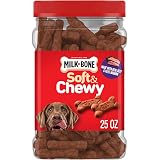
Milk-Bone Soft & Chewy Dog Treats, 25 Oz. Canister | Made with real beef & filet mignon, tender dog treats, easy to chew, for dogs of all ages and sizes
$14.48 (as of October 26, 2026 03:13 GMT +00:00 - More infoProduct prices and availability are accurate as of the date/time indicated and are subject to change. Any price and availability information displayed on [relevant Amazon Site(s), as applicable] at the time of purchase will apply to the purchase of this product.)
Amazon Fire HD 10 tablet, built for relaxation, 10.1" vibrant Full HD screen, octa-core processor, 4 GB RAM, 32 GB, Black
$72.99 (as of October 26, 2026 03:23 GMT +00:00 - More infoProduct prices and availability are accurate as of the date/time indicated and are subject to change. Any price and availability information displayed on [relevant Amazon Site(s), as applicable] at the time of purchase will apply to the purchase of this product.)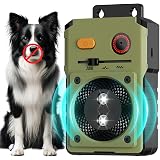
ewrazi Anti Barking Device for Dogs, 3 Modes Ultrasonic Bark Deterrent | Rechargeable Bark Control Box, Waterproof Indoor & Outdoor, 33Ft Range, Humane Automatic Bark Stopper for Dogs
$107.00 (as of October 26, 2026 03:23 GMT +00:00 - More infoProduct prices and availability are accurate as of the date/time indicated and are subject to change. Any price and availability information displayed on [relevant Amazon Site(s), as applicable] at the time of purchase will apply to the purchase of this product.)













Post Comment